CompTIA Network+ (N10-009)/Cheat sheet
CompTIA Network+ (N10-009) cheat sheet: key rules and summary
Maximum of 90 questions (multiple-choice and PBQs); 90 minutes; passing score 720 (scale 100–900).
OSI 7-layer model & protocols
Essential- Layer 7
- Application: HTTP, HTTPS, DNS, DHCP, FTP, SSH, SMTP (user-facing services)
- Layer 6
- Presentation: TLS/SSL, JPEG, GIF, ASCII (format translation, compression, encryption)
- Layer 5
- Session: RPC, NetBIOS, Sockets (session establishment, maintenance, and teardown)
IPv4 CIDR subnetting & private ranges
High-Yield- /24
- 254 usable hosts (Mask: 255.255.255.0 · 256 total IPs)
- /25
- 126 usable hosts (Mask: 255.255.255.128 · 128 total IPs)
- /26
- 62 usable hosts (Mask: 255.255.255.192 · 64 total IPs)
Ethernet, fiber & wireless standards
Critical- 1000BASE-T
- Gigabit Ethernet over Cat 5e/6 UTP copper up to 100 meters (IEEE 802.3ab)
- 10GBASE-T
- 10 Gbps over Cat 6 (up to 55m) or Cat 6a (up to 100m) (IEEE 802.3an)
- 1000BASE-SX
- Gigabit Ethernet over multimode fiber (850nm wavelength) up to 550 meters
OSI 7-Layer Protocol Stack & PDU Hierarchy
CompTIA N10-009 tests the exact mapping between layer numbers, protocol data units (PDUs), and network protocols.
OSI 7-layer model & protocols
- Layer 7
- Application: HTTP, HTTPS, DNS, DHCP, FTP, SSH, SMTP (user-facing services)Domain 1.1 — OSI Model Architecture
- Layer 6
- Presentation: TLS/SSL, JPEG, GIF, ASCII (format translation, compression, encryption)Domain 1.1 — OSI Model Architecture
- Layer 5
- Session: RPC, NetBIOS, Sockets (session establishment, maintenance, and teardown)Domain 1.1 — OSI Model Architecture
- Layer 4
- Transport: TCP, UDP (segments, end-to-end flow control, sequencing, port numbers)Domain 1.1 — OSI Model Architecture
- Layer 3
- Network: IP, ICMP, ARP (packets, routers, logical IP addressing, path determination)Domain 1.1 — OSI Model Architecture
- Layer 2
- Data Link: Ethernet 802.3, MAC addressing, switches, NICs (frames, physical addressing)Domain 1.1 — OSI Model Architecture
- Layer 1
- Physical: Cat 6, fiber optics, hubs, repeaters, transceivers (raw bit streams)Domain 1.1 — OSI Model Architecture
IPv4 CIDR subnetting & private ranges
- /24
- 254 usable hosts (Mask: 255.255.255.0 · 256 total IPs)Domain 1.4 — IPv4 Addressing & Subnetting
- /25
- 126 usable hosts (Mask: 255.255.255.128 · 128 total IPs)Domain 1.4 — IPv4 Addressing & Subnetting
- /26
- 62 usable hosts (Mask: 255.255.255.192 · 64 total IPs)Domain 1.4 — IPv4 Addressing & Subnetting
- /27
- 30 usable hosts (Mask: 255.255.255.224 · 32 total IPs)Domain 1.4 — IPv4 Addressing & Subnetting
- /28
- 14 usable hosts (Mask: 255.255.255.240 · 16 total IPs)Domain 1.4 — IPv4 Addressing & Subnetting
- /29
- 6 usable hosts (Mask: 255.255.255.248 · 8 total IPs)Domain 1.4 — IPv4 Addressing & Subnetting
- /30
- 2 usable hosts (Mask: 255.255.255.252 · 4 total IPs · point-to-point router links)Domain 1.4 — IPv4 Addressing & Subnetting
- RFC 1918
- Private ranges: 10.0.0.0/8 (Class A), 172.16.0.0/12 (Class B), 192.168.0.0/16 (Class C)Domain 1.4 — IPv4 Addressing & Subnetting
- APIPA
- 169.254.0.0/16 link-local auto-assigned address when DHCP fails (unroutable)Domain 1.4 — IPv4 Addressing & Subnetting
Network ports & core services
- Port 22
- SSH (Secure Shell) & SFTP — TCP encrypted remote administrationDomain 1.5 — Ports and Protocols
- Port 53
- DNS (Domain Name System) — UDP for queries, TCP for zone transfersDomain 1.5 — Ports and Protocols
- Port 67 / 68
- DHCP (Dynamic Host Configuration Protocol) — UDP (67 server, 68 client)Domain 1.5 — Ports and Protocols
- Port 80 / 443
- HTTP / HTTPS (Hypertext Transfer Protocol Secure) — TCPDomain 1.5 — Ports and Protocols
- Port 88
- Kerberos authentication protocol — TCP/UDP ticket-granting serviceDomain 1.5 — Ports and Protocols
- Port 123
- NTP (Network Time Protocol) clock synchronization — UDPDomain 1.5 — Ports and Protocols
- Port 161 / 162
- SNMP (Simple Network Management Protocol) — UDP (161 polling, 162 traps)Domain 1.5 — Ports and Protocols
- Port 389 / 636
- LDAP / LDAPS directory access service — TCP unencrypted / TLSDomain 1.5 — Ports and Protocols
- Port 3389
- RDP (Remote Desktop Protocol) — TCP/UDP graphical desktop sharingDomain 1.5 — Ports and Protocols
Ethernet, fiber & wireless standards
- 1000BASE-T
- Gigabit Ethernet over Cat 5e/6 UTP copper up to 100 meters (IEEE 802.3ab)Domain 1.2 — Media Types & Standards
- 10GBASE-T
- 10 Gbps over Cat 6 (up to 55m) or Cat 6a (up to 100m) (IEEE 802.3an)Domain 1.2 — Media Types & Standards
- 1000BASE-SX
- Gigabit Ethernet over multimode fiber (850nm wavelength) up to 550 metersDomain 1.2 — Media Types & Standards
- 1000BASE-LX
- Gigabit Ethernet over single-mode (1310nm up to 5 km) or multimode (up to 550m)Domain 1.2 — Media Types & Standards
- Wi-Fi 6/6E
- 802.11ax up to 9.6 Gbps · OFDMA & MU-MIMO · 2.4 GHz, 5 GHz, and 6 GHz (6E)Domain 1.3 — Wireless Standards
- Wi-Fi 7
- 802.11be Extremely High Throughput · 320 MHz channel width · Multi-Link OperationDomain 1.3 — Wireless Standards
CompTIA 7-step troubleshooting methodology
- Step 1
- Identify the problem (gather info, question users, identify symptoms, duplicate issue)Domain 5.1 — Troubleshooting Methodology
- Step 2
- Establish a theory of probable cause (question the obvious, consider top-to-bottom)Domain 5.1 — Troubleshooting Methodology
- Step 3
- Test the theory to determine cause (if confirmed proceed; if not, re-establish theory)Domain 5.1 — Troubleshooting Methodology
- Step 4
- Establish a plan of action to resolve problem and identify potential effectsDomain 5.1 — Troubleshooting Methodology
- Step 5
- Implement the solution or escalate as necessaryDomain 5.1 — Troubleshooting Methodology
- Step 6
- Verify full system functionality and implement preventive measuresDomain 5.1 — Troubleshooting Methodology
- Step 7
- Document findings, actions, and outcomes in knowledge baseDomain 5.1 — Troubleshooting Methodology
Rules People Get Wrong on Test Day
Questions on these specific handbook rules produce the highest error rates. Review these crucial distinctions carefully before test day.
CompTIA N10-009 uses 7 troubleshooting steps
Step 4 establishes a plan of action and identifies potential effects; Step 5 implements the solution. Never document findings (Step 7) before verifying full system functionality (Step 6).
Usable IPv4 host formula
Always subtract 2 from the total number of IP addresses (2^(32 - prefix) - 2) to exclude the network ID and broadcast address. A /30 subnet has 4 total IPs but only 2 usable host addresses.
Fiber optic modes
Multimode fiber (MMF) uses short-wave 850nm LED/VCSEL light sources and has larger core diameter (50/62.5 microns) for short building runs; single-mode fiber (SMF) uses 1310/1550nm laser optics with a 9-micron core for long hauls.
Loopback vs APIPA
127.0.0.1 (IPv4) and ::1 (IPv6) verify internal OS TCP/IP protocol stack functionality without transmitting packets to the NIC; receiving an APIPA address (169.254.x.x) means the client NIC functions but DHCP negotiation failed.
Save It as One Printable Poster
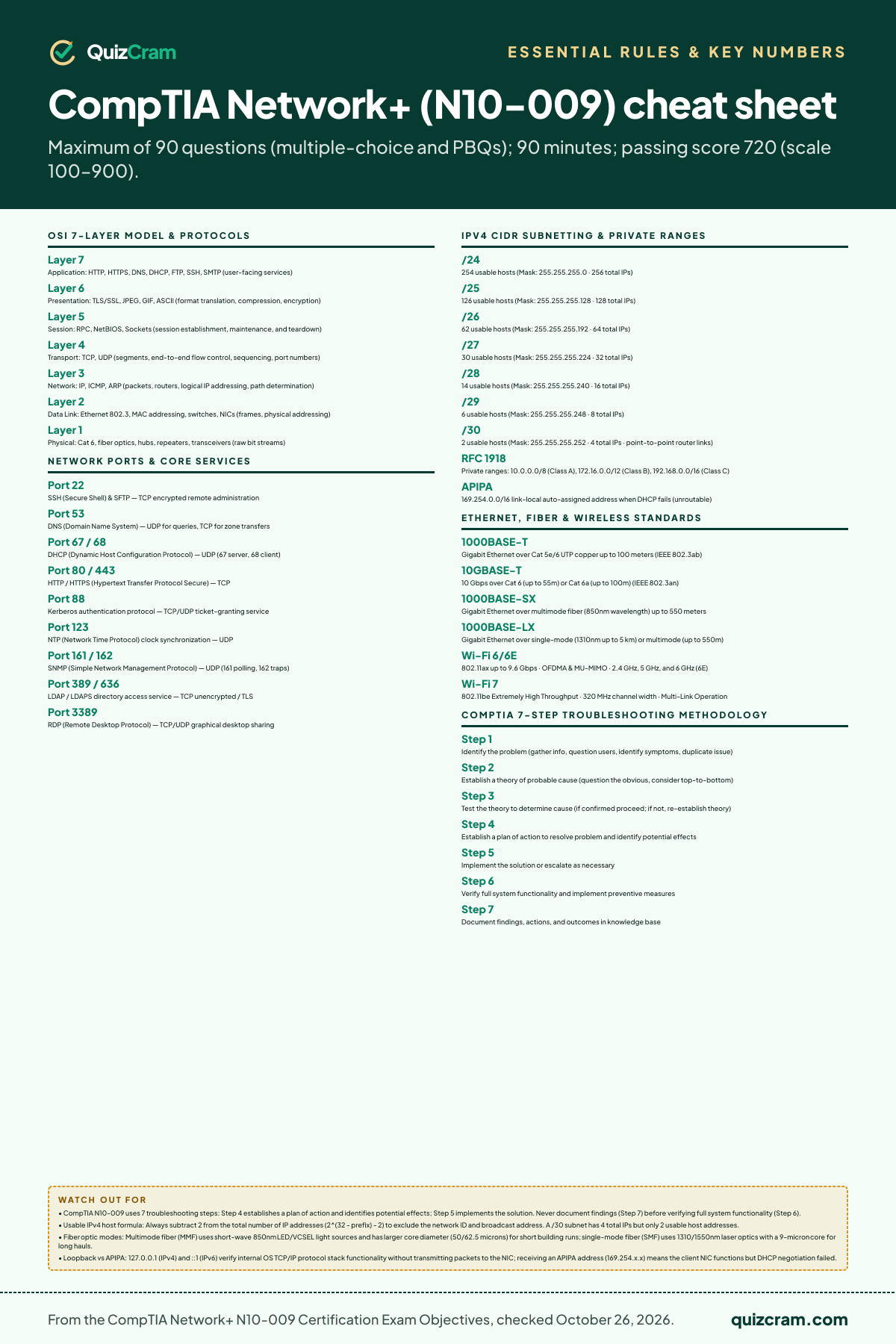
Keep the complete CompTIA Network+ (N10-009) cheat sheet on your wall or phone. High-resolution canvas formatted for standard 8.5″ × 11″ portrait print.
Formatted for standard US Letter paper or binder study inserts without text clipping.
Every statutory limit, formula, and penalty verified against official testing sources.
Crisp 2:3 vertical canvas, perfect for saving to camera roll or reviewing before the test.
Knowing the rules and numbers is half of it. Can you apply them?
The real test asks these as scenarios. Take the 20 free CompTIA Network+ (N10-009) questions — each answer explains the rule and cites the official source. If you want the full bank and timed practice tests, it’s a one-time $19.99.