CompTIA A+ Core 1/Cheat sheet
CompTIA A+ Core 1 cheat sheet: key rules and summary
Up to 90 multiple-choice and PBQ questions; passing score 675/900; 90-minute limit.
- 31 numbers
- 4 sections
- 4 rules people get wrong
Memorise these first
- Port 20 / 21FTP (File Transfer Protocol) — TCP
- 802.11b11 Mbps max speed · 2.4 GHz frequency only
- 100 meters (328 ft)Maximum distance for Cat 5e, Cat 6, and Cat 6a unshielded twisted pair
Standard network ports
- Port 20 / 21
- FTP (File Transfer Protocol) — TCPDomain 2.1 — Networking Ports
- Port 22
- SSH (Secure Shell) & SFTP — TCPDomain 2.1 — Networking Ports
- Port 23
- Telnet (unencrypted terminal emulation) — TCPDomain 2.1 — Networking Ports
- Port 25
- SMTP (Simple Mail Transfer Protocol) — TCPDomain 2.1 — Networking Ports
- Port 53
- DNS (Domain Name System) — UDP/TCPDomain 2.1 — Networking Ports
- Port 67 / 68
- DHCP (Dynamic Host Configuration Protocol) — UDPDomain 2.1 — Networking Ports
- Port 80
- HTTP (Hypertext Transfer Protocol) — TCPDomain 2.1 — Networking Ports
- Port 110
- POP3 (Post Office Protocol v3, unencrypted) — TCPDomain 2.1 — Networking Ports
- Port 143
- IMAP (Internet Message Access Protocol, unencrypted) — TCPDomain 2.1 — Networking Ports
- Port 443
- HTTPS (Hypertext Transfer Protocol Secure) — TCPDomain 2.1 — Networking Ports
- Port 445
- SMB (Server Message Block) — TCPDomain 2.1 — Networking Ports
- Port 3389
- RDP (Remote Desktop Protocol) — TCP/UDPDomain 2.1 — Networking Ports
Wi-Fi standards and frequencies
- 802.11b
- 11 Mbps max speed · 2.4 GHz frequency onlyDomain 2.2 — Wireless Standards
- 802.11a
- 54 Mbps max speed · 5 GHz frequency onlyDomain 2.2 — Wireless Standards
- 802.11g
- 54 Mbps max speed · 2.4 GHz frequency onlyDomain 2.2 — Wireless Standards
- 802.11n (Wi-Fi 4)
- Up to 600 Mbps (MIMO) · 2.4 GHz and 5 GHz dual-bandDomain 2.2 — Wireless Standards
- 802.11ac (Wi-Fi 5)
- Up to 6.9 Gbps (MU-MIMO) · 5 GHz frequency onlyDomain 2.2 — Wireless Standards
- 802.11ax (Wi-Fi 6/6E)
- Up to 9.6 Gbps (OFDMA) · 2.4 GHz, 5 GHz, and 6 GHz (6E)Domain 2.2 — Wireless Standards
Ethernet & peripheral cable specs
- 100 meters (328 ft)
- Maximum distance for Cat 5e, Cat 6, and Cat 6a unshielded twisted pairDomain 3.1 — Cables and Connectors
- Cat 5e
- 1 Gbps (1,000 Mbps) bandwidth up to 100 meters (100 MHz)Domain 3.1 — Cables and Connectors
- Cat 6
- 10 Gbps up to 55 meters; 1 Gbps up to 100 meters (250 MHz)Domain 3.1 — Cables and Connectors
- Cat 6a
- 10 Gbps up to 100 meters (500 MHz)Domain 3.1 — Cables and Connectors
- USB 3.0 / 3.1 Gen 1
- 5 Gbps maximum data transfer rate (SuperSpeed)Domain 3.1 — Cables and Connectors
- USB 3.1 Gen 2
- 10 Gbps maximum data transfer rate (SuperSpeed+)Domain 3.1 — Cables and Connectors
- Thunderbolt 3 / 4
- 40 Gbps maximum throughput via USB Type-C connectorDomain 3.1 — Cables and Connectors
CompTIA 6-step troubleshooting theory
- Step 1
- Identify the problem (gather info, question user, duplicate issue, check logs)Domain 5.1 — Troubleshooting Methodology
- Step 2
- Establish a theory of probable cause (question the obvious, consider top causes)Domain 5.1 — Troubleshooting Methodology
- Step 3
- Test the theory to determine cause (if confirmed proceed; if not, re-establish theory or escalate)Domain 5.1 — Troubleshooting Methodology
- Step 4
- Establish a plan of action and implement the solutionDomain 5.1 — Troubleshooting Methodology
- Step 5
- Verify full system functionality and implement preventive measuresDomain 5.1 — Troubleshooting Methodology
- Step 6
- Document findings, actions, and outcomes (knowledge base / ticketing)Domain 5.1 — Troubleshooting Methodology
Second read
Rules people get wrong
- Troubleshooting order: Always verify full system functionality (Step 5) BEFORE you document your findings (Step 6). Testing questions frequently swap steps 5 and 6.
- Laser printer imaging process order: Processing -> Charging -> Exposing -> Developing -> Transferring -> Fusing -> Cleaning (remember: 'Please Come Early During The Fall Carnival').
- RAID storage minimums and fault tolerance: RAID 0 (2 disks, 0 parity, no fault tolerance); RAID 1 (2 disks, mirroring, 1 failure allowed); RAID 5 (3 disks min, striped with parity, 1 failure allowed); RAID 10 (4 disks min, mirrored sets striped, up to 2 disk failures allowed).
- Private IPv4 address ranges (RFC 1918): Class A (10.0.0.0 – 10.255.255.255), Class B (172.16.0.0 – 172.31.255.255), Class C (192.168.0.0 – 192.168.255.255). APIPA auto-configuration is always 169.254.0.1 – 169.254.255.254.
Take it with you
Save it as one poster
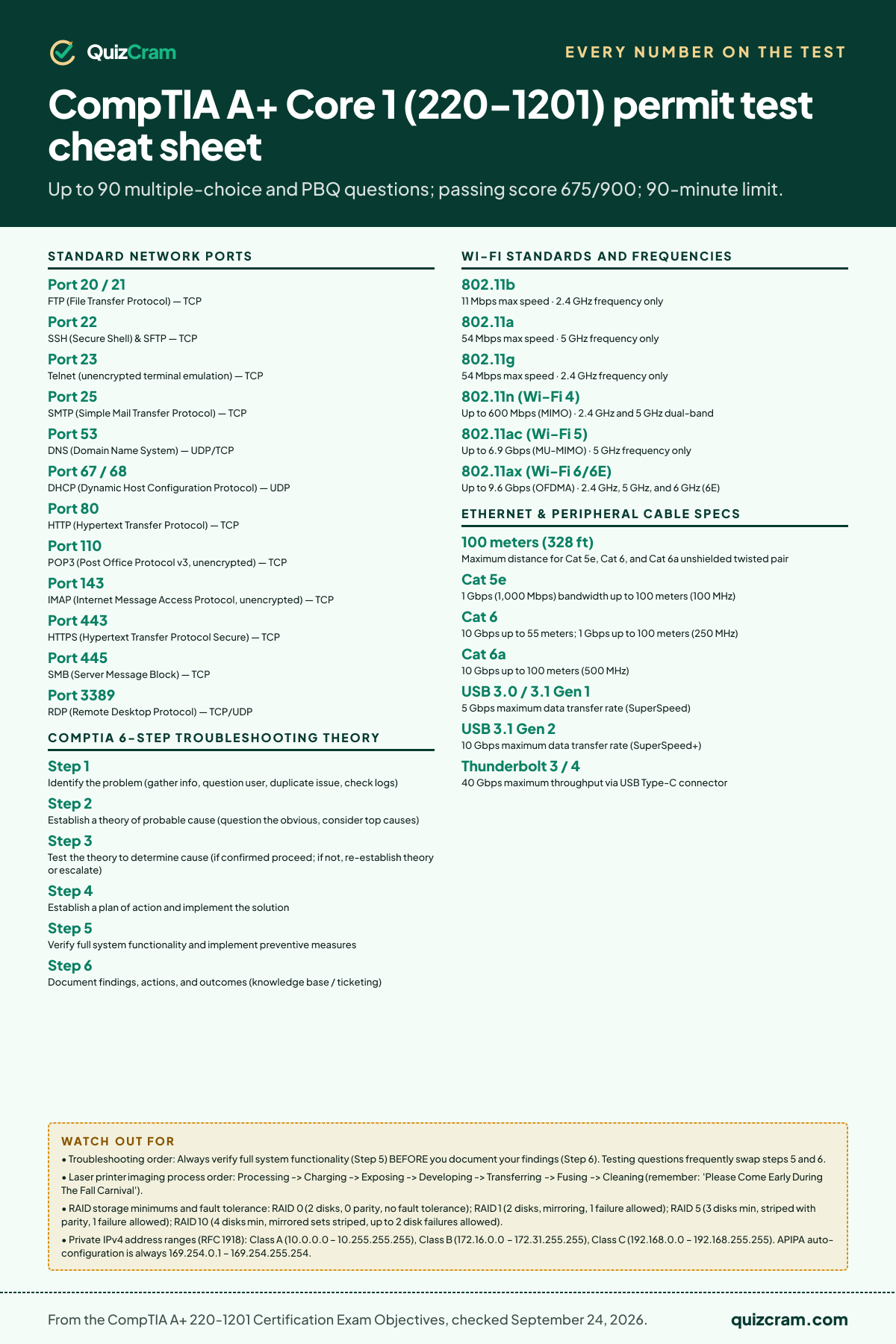
Knowing the numbers is half of it. Can you apply them?
The real test asks these as scenarios. Take the 20 free CompTIA A+ Core 1 (220-1201) questions — each answer explains the rule and cites the handbook section. If you want the full bank and timed practice tests, it’s a one-time $19.99.